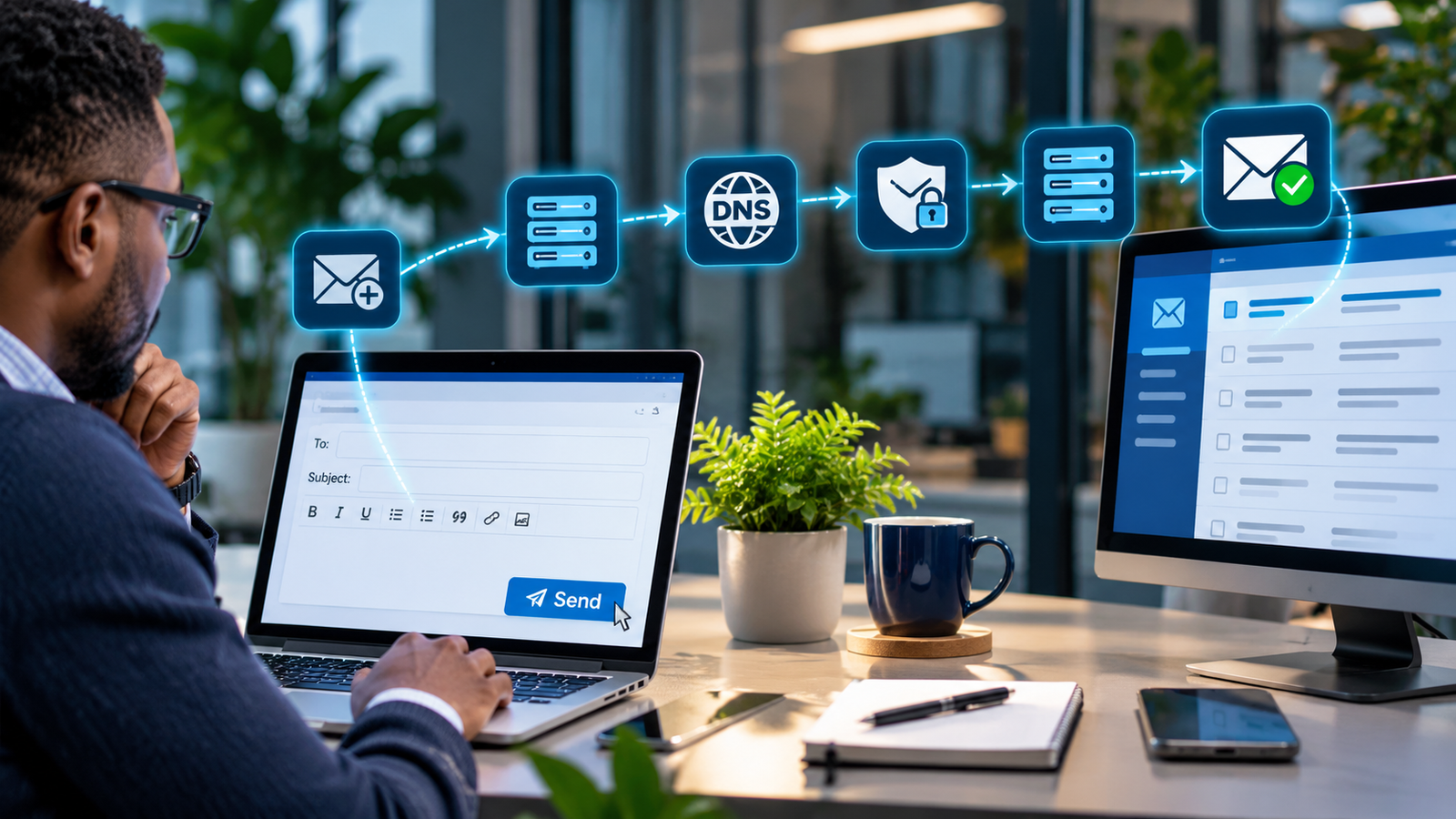
You open a laptop, sign in to your company email, share a document and join a video meeting. It feels like everything is happening on your device. In reality, much of that work may be running on remote computing infrastructure: the cloud. For a small business, understanding this invisible infrastructure can make the difference between a flexible, resilient operation and an expensive collection of poorly secured subscriptions.
This practical guide explains what cloud systems are, how they work, how to select the right type, and how to protect your business when something goes wrong.
Cloud computing gives organisations access to computing resources—such as software, storage, databases and virtual servers—over a network, commonly the internet. It can reduce the need to own physical infrastructure, but it does not remove your responsibility for account security, data handling, backups or controlling costs.
What is a cloud system?
A cloud system is a service or application delivered using computing resources operated in a provider’s infrastructure. Rather than buying and maintaining every server yourself, you access capacity or software when needed. The US National Institute of Standards and Technology (NIST) describes cloud computing through five characteristics: on-demand self-service, broad network access, resource pooling, rapid elasticity and measured service. Read the NIST definition.
Think of a small accountancy firm. Instead of running an email server, file server and collaboration tools from its office, it could use Microsoft 365 for productivity, a cloud accounting service and managed cloud backups. Staff access these services from approved devices while the providers operate the underlying infrastructure.
How cloud computing works: from your device to the data centre
- You make a request: A user opens a web application, signs in or uploads a file.
- Identity and network checks happen: The service authenticates the user and may enforce multi-factor authentication, access policies and encrypted connections.
- A cloud application receives the request: Traffic can pass through gateways, load balancers and application services.
- Compute and storage do the work: Virtual machines, containers, managed databases or serverless functions process the action and save data.
- The service returns a result: The user sees the document, report or confirmation in their browser or app.
- Monitoring and recovery systems operate behind the scenes: Providers and customers each manage different parts of availability, logging and incident response.
These stages vary by service. A simple online document editor and a custom cloud-hosted application may use very different technologies under the hood.
The three main cloud service models: SaaS, PaaS and IaaS
| Model | What you receive | Typical example | What your business manages |
|---|---|---|---|
| SaaS (Software as a Service) | A ready-to-use application | Microsoft 365, hosted CRM | Users, access, data governance and service settings |
| PaaS (Platform as a Service) | A managed application platform | Managed app hosting or databases | Application code, data, identities and configuration |
| IaaS (Infrastructure as a Service) | Virtual machines, networking and storage | Cloud virtual server | Guest operating system, applications, identities and many security settings |
The distinction matters: with SaaS, the provider does much of the infrastructure work. With IaaS, your team must manage significantly more technical detail. The responsibility split is explained by Microsoft’s shared responsibility guidance.
Public, private, hybrid and multi-cloud: what is the difference?
- Public cloud: Services delivered through a provider’s shared infrastructure, with logical separation between customers.
- Private cloud: Cloud infrastructure dedicated to one organisation, whether hosted internally or by another provider.
- Hybrid cloud: A coordinated mix of private or on-premises systems and public cloud services.
- Multi-cloud: Use of services from more than one cloud provider; this is a sourcing strategy rather than one of NIST’s four traditional deployment models.
A hybrid model can suit a business that must retain specialist on-site systems while moving collaboration and backups online. Multi-cloud can reduce reliance on one vendor for some workloads, but also increases complexity; neither approach automatically improves resilience.
Where small businesses already use the cloud
- Communication: Hosted email, calendars, video meetings and messaging.
- Document collaboration: Shared files, co-authoring and controlled access.
- Business applications: Accounting, customer management, payroll and booking platforms.
- Websites and software: Hosting, databases, APIs, storage and content delivery.
- Backup and recovery: Protected copies of files, systems and critical application data.
- Security and management: Identity services, monitoring, endpoint administration and audit logs.
What are the benefits of cloud computing?
- Flexibility: Add users or capacity without purchasing a new physical server each time.
- Remote working: Give authorised employees access to work from different locations.
- Managed infrastructure: Reduce some hardware-maintenance and patching burdens, especially with SaaS.
- Potential resilience: Use availability zones, redundancy and tested recovery options where supported and configured.
- Faster deployment: Trial or launch services without extensive on-site installation.
However, cloud does not always mean cheaper. Poorly sized virtual machines, unused subscriptions, data-transfer charges, excessive storage and unsuitable support plans can turn an attractive starting price into a recurring financial problem. AWS provides cost-optimisation guidance that illustrates why usage needs active oversight.
The risks: what can go wrong?
- Account compromise: Phishing or stolen credentials can give attackers access to company files and email.
- Misconfiguration: Inadvertently public storage or excessive permissions can expose information.
- Service outage: Provider problems, connectivity failures or identity-service issues can interrupt operations.
- Data loss or corruption: Accidental deletion, malicious changes and retention limitations still matter.
- Vendor lock-in: Exporting data or moving a complex application may be harder than expected.
- Compliance gaps: Location, contractual terms, data transfers and retention requirements need review.
- Cost sprawl: Unused licences and resources can accumulate quietly.
Cloud security: who is responsible?
Cloud security follows a shared responsibility model. Providers secure certain elements of the infrastructure, while customers retain important responsibilities for their own users, data and configuration. The exact split depends on the service. The UK National Cyber Security Centre (NCSC) explains why organisations must understand this boundary rather than assume the cloud provider handles everything.
A practical cloud security checklist
- Enable MFA for administrators and staff; favour phishing-resistant methods where practical.
- Apply least privilege: Remove unnecessary administrator rights and review sharing permissions.
- Manage joiners, movers and leavers: Create, update and revoke access promptly.
- Secure devices: Keep operating systems updated, encrypt endpoints and use appropriate endpoint protection.
- Monitor: Review sign-in alerts, audit logs, anomalous activity and high-risk configuration changes.
- Protect sensitive data: Establish classification, retention and encryption policies appropriate to your information.
- Document suppliers: Check service contracts, data processing terms, incident procedures and exit options.
- Test recovery: Confirm that you can restore critical files, not merely see a backup dashboard.
Cloud storage, synchronisation and backup are not the same thing
Synchronisation keeps files aligned across devices and cloud services. Version history and recycle bins are useful, but they are not necessarily a complete backup strategy. If a deleted, corrupted or encrypted file is synchronised, the damage may spread as well. A reliable backup plan defines what is copied, where copies are kept, how long they are retained, how they are protected and how quickly recovery can happen.
The NCSC advises organisations not to rely solely on online services’ built-in mechanisms to protect critical data. Consider independent, access-controlled backup copies and regular restore tests.
What happens when the cloud goes down?
Even well-run cloud platforms experience incidents. Businesses should identify their most critical processes—taking customer orders, accessing client records, processing payments or communicating with staff—and prepare a workable alternative for each. That may include an independent communication channel, offline access to essential contact details, documented recovery contacts and a priority order for restoring systems.
Two useful planning measures are RTO (recovery time objective), the target time to restore a service, and RPO (recovery point objective), the amount of recent data loss a business can tolerate. These objectives should guide the selection of backup, replication and resilience services.
How much does cloud computing cost?
Cloud bills may combine licences, storage, computing power, traffic, backups, security features, third-party tools and support. SaaS commonly charges per user or plan; infrastructure services may bill for consumed capacity or reserved commitments. Prices and inclusions vary by provider, region and contract.
- List every required service and assign a business owner.
- Estimate users, storage growth, peak demand and external data transfer.
- Compare total monthly and annual costs, including tax and support.
- Set spending budgets and alerts before launching infrastructure.
- Remove unused accounts and resources and review bills monthly.
- Budget for migration, training, backup, recovery testing and eventual exit.
A 10-step cloud adoption checklist for small teams
- Define the business outcome: Are you solving email, file access, backup, hosting or a specialist application need?
- Inventory current systems: Identify devices, software, data and dependencies.
- Classify information: Note sensitive records, retention needs and contractual obligations.
- Choose a service model: Prefer the simplest suitable SaaS product before commissioning custom infrastructure.
- Compare providers: Check security, recovery, support, interoperability and data export.
- Design access controls: Set up MFA, role-based permissions and administrator safeguards.
- Plan migration: Pilot with a small group and agree a rollback path.
- Protect data: Configure suitable backups, monitoring and recovery objectives.
- Train staff: Cover secure sharing, phishing, device use and reporting incidents.
- Review after launch: Monitor costs, user access, service performance and restore tests.
Which cloud solution should a small business choose?
A business needing secure email and shared documents will often start by evaluating a well-supported productivity suite. A company running custom software may require managed application hosting or infrastructure services. A business with regulatory, connectivity or operational constraints may need hybrid arrangements. Start with the problem, not the provider logo.
For UK businesses, review service terms, data protection obligations and the location and transfer of personal information. The right arrangement depends on the information handled and the organisation’s particular legal and contractual requirements.
Frequently asked questions
Is cloud computing the same as cloud storage?
No. Cloud storage is one component of cloud computing. Cloud computing also includes applications, databases, networking, processing and identity services.
Do I need an IT department to use cloud services?
Not necessarily. Many SaaS products suit small teams, but somebody still needs to own user access, security settings, backups, spending and supplier management. A managed IT provider can help.
Is the cloud secure?
Cloud platforms can provide strong security capabilities, but security depends on provider controls and how the customer configures accounts, devices, applications and data access. No deployment model is automatically secure.
Will my business lose access without the internet?
Often, yes, for cloud-only functions. Some apps allow limited offline work or locally cached files. Test those features and include connectivity failure in your continuity plan.
Does Microsoft 365 automatically back up everything?
Microsoft 365 includes various retention and recovery capabilities, but you should not assume that every business recovery requirement is met. Define restore scenarios and consider a separate backup solution where necessary.
What is the difference between disaster recovery and backup?
Backup is about preserving recoverable copies of data. Disaster recovery is the broader plan for restoring systems and operations after a major disruption. A strong plan typically needs both.
Can I move away from a cloud provider later?
Usually, but the ease and cost depend on data export options, application design, contract conditions, integrations and technical dependencies. Assess exit options before committing.
How CHOLCOM helps businesses adopt the cloud securely
Cloud adoption should improve how your business operates—not introduce hidden costs, uncontrolled access or confusing recovery arrangements. CHOLCOM LTD helps small and growing organisations assess their requirements, configure secure cloud services and build practical IT processes for the long term.
- Cloud readiness reviews and migration planning
- Microsoft 365 configuration, access management and security hardening
- Cloud backup strategy, recovery testing and continuity planning
- DNS, domain and business email setup
- Security reviews, staff awareness and ongoing managed IT support
Need help making your cloud systems secure, reliable and manageable? Get in touch with us to discuss your requirements.